For Client Portals

Client portals your customers actually want to log into

Build Experience Cloud sites that carry your brand, not the default look. Give customers a place to check status, submit requests, and self-serve without opening a ticket.

40+
Experience Cloud components
Custom
branding built in
85+
across the suite
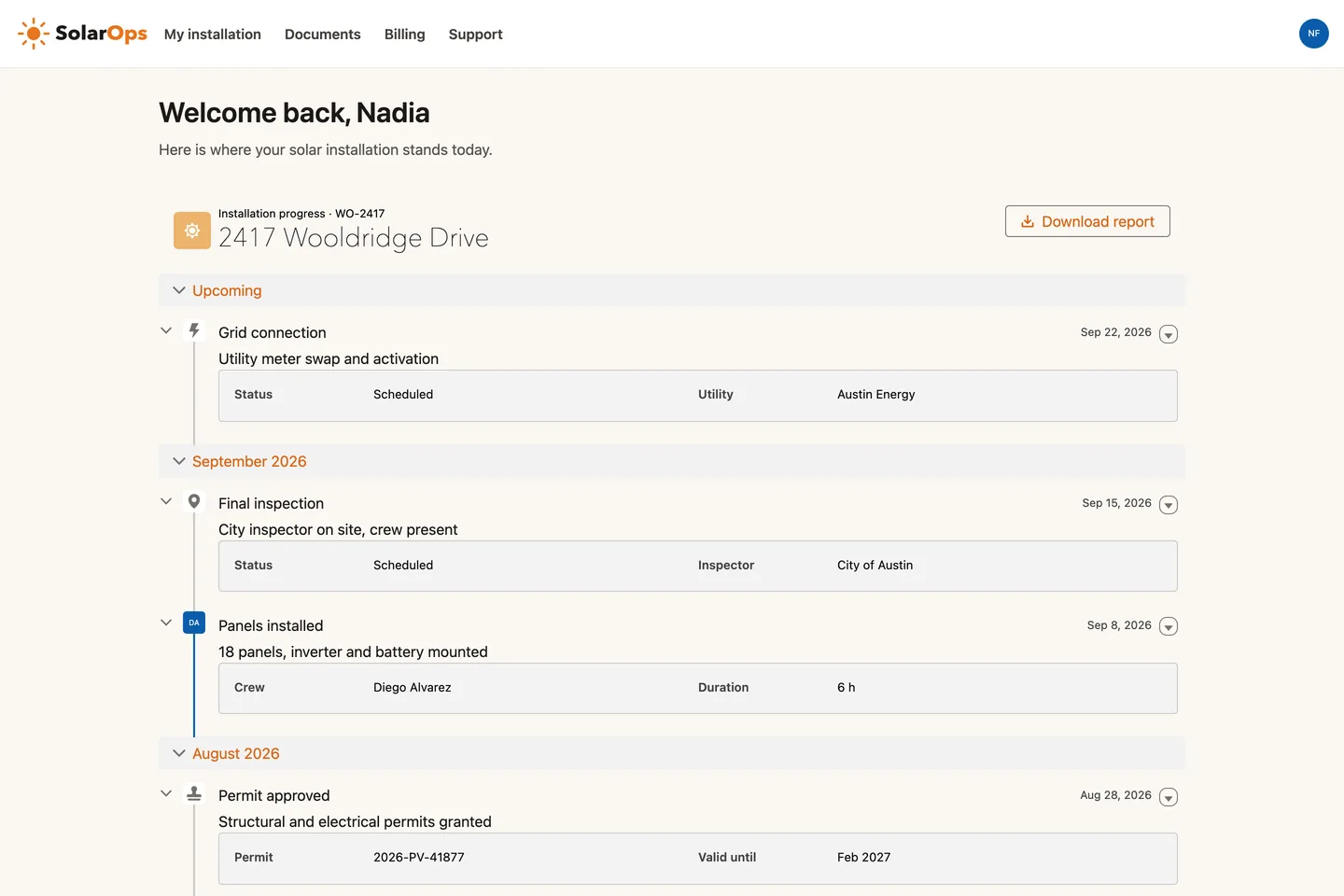
Avonni Timeline on the SolarOps homeowner portal, a live Experience Cloud site: branded header, a welcome line for the signed-in customer, and seven installation steps grouped by month with a Download report button
Experience SitesTrack my installationA homeowner follows the solar installation step by step, from the signed proposal to the grid connection, without a Salesforce login.
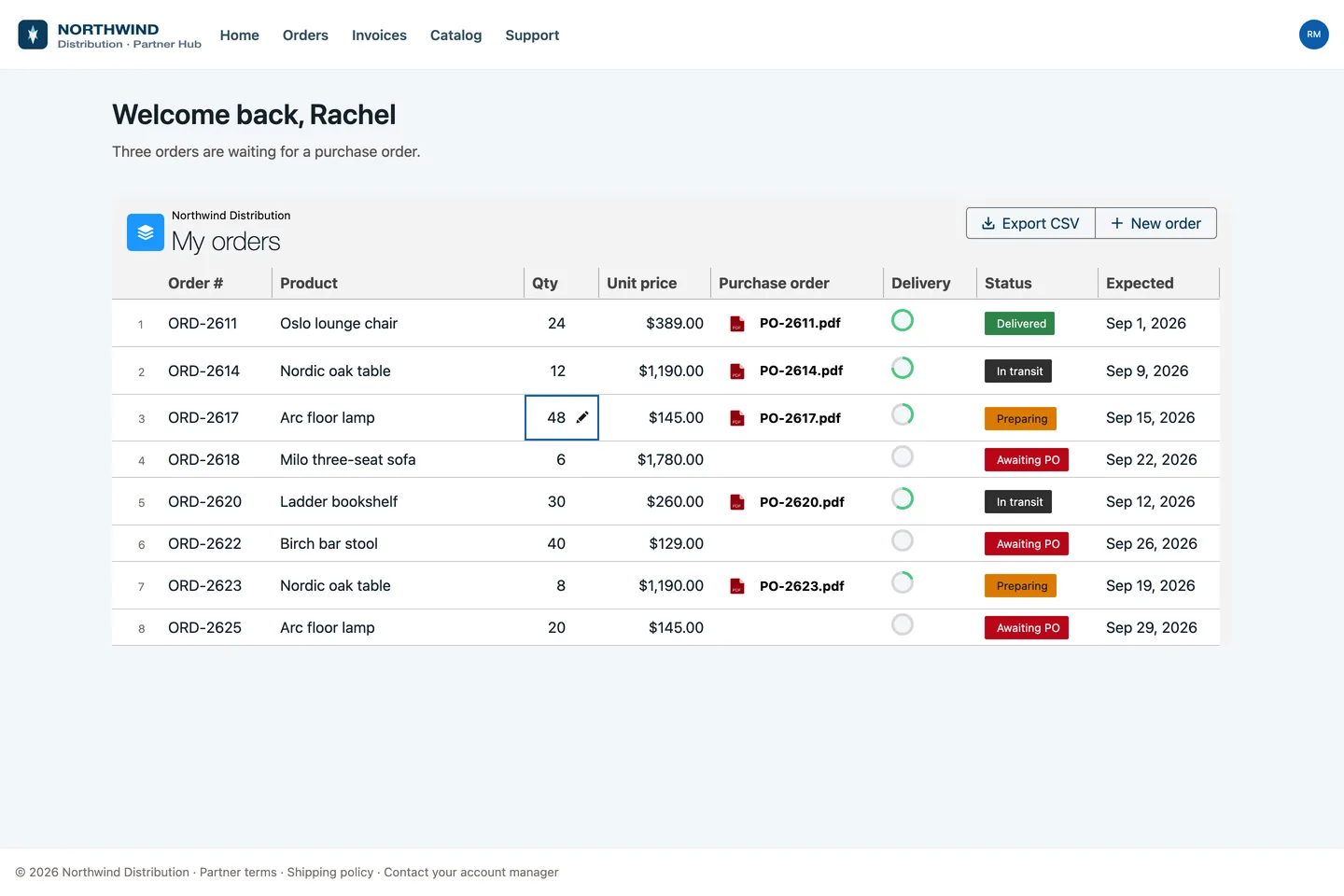
Avonni Data Table on the Northwind Partner Hub, a live Experience Cloud site: the distributor's orders with a quantity edited inline, purchase order PDFs, delivery rings and status badges
Experience SitesPartner order deskA distributor edits quantities, drops purchase orders and follows delivery on its own orders, with no Salesforce chrome in sight.
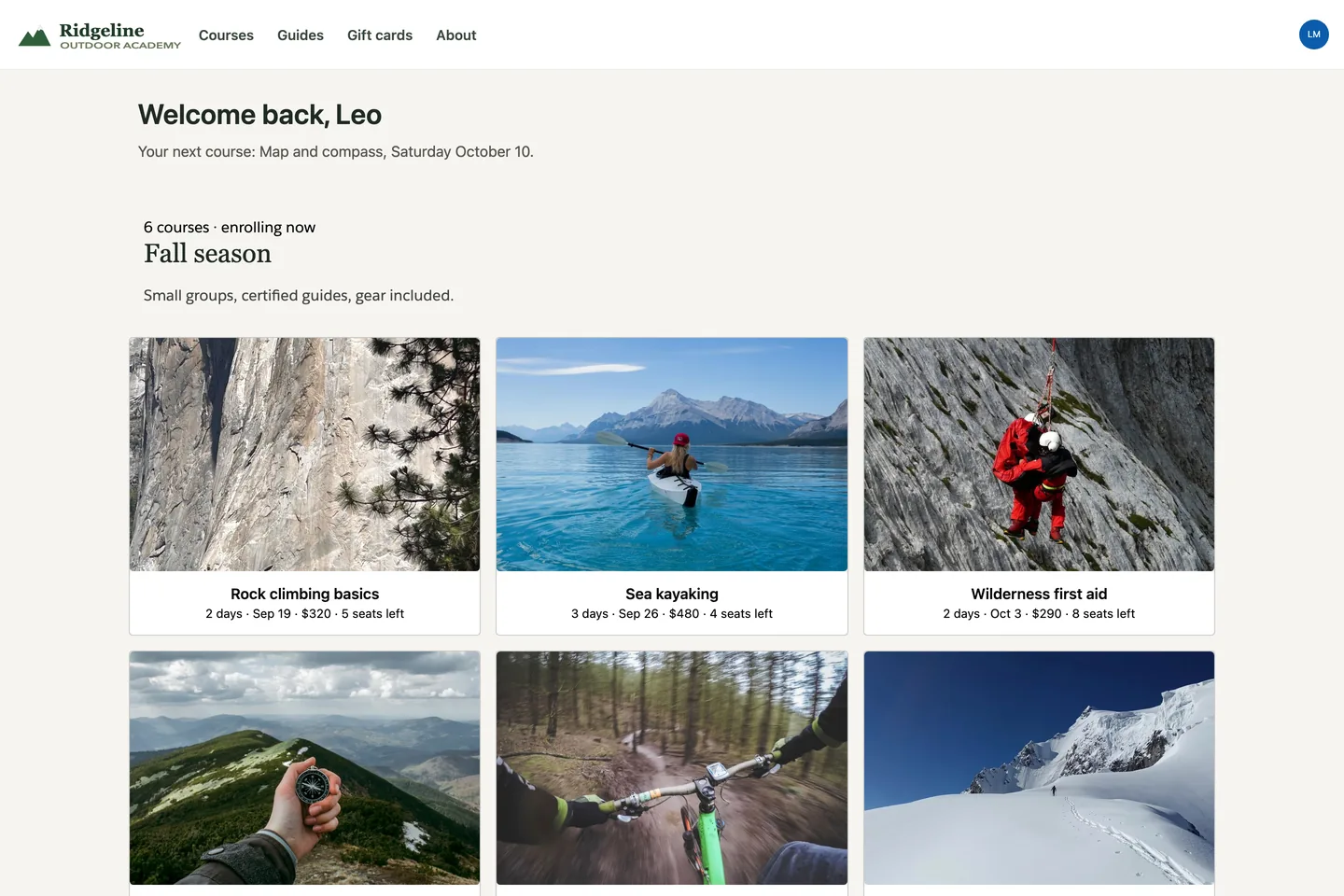
Avonni Gallery on the Ridgeline Outdoor Academy site, a live Experience Cloud site: branded header, a welcome line for the signed-in member, and six fall courses with photo, dates, price and seats left
Experience SitesFall course catalogAn outdoor school lists its fall courses: six photos, dates, price and seats left. One component, six records.
What you build

Three portals, one component suite

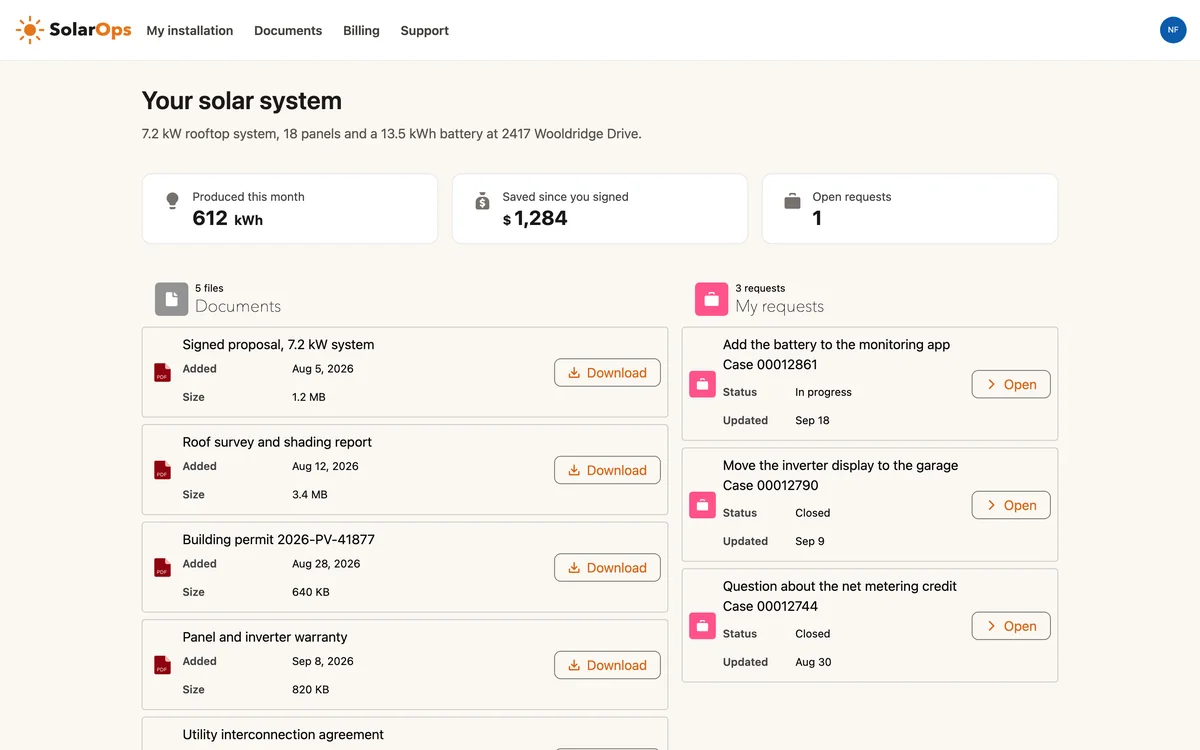
SolarOps customer portal overview: three Avonni metrics for production, savings and open requests, a documents list with downloads and the customer's support requests

Customer portal

Let customers track cases, view records, and submit requests from a site that looks like yours.

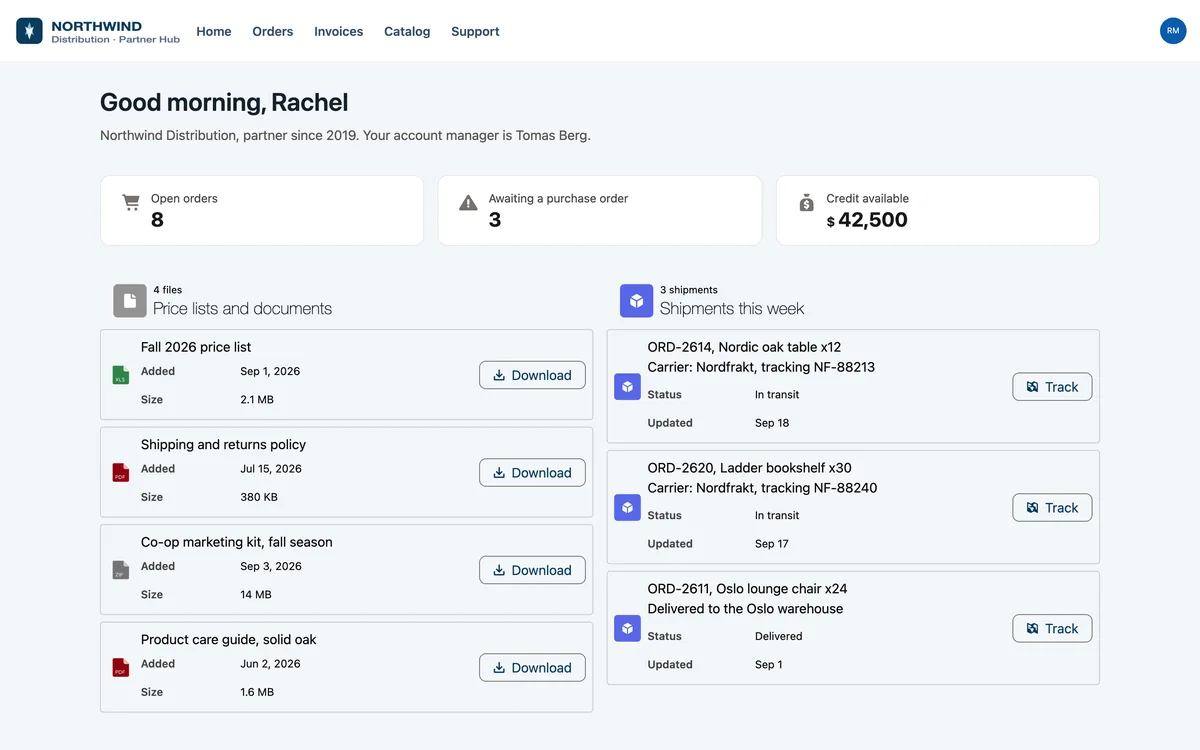
Northwind Partner Hub overview: Avonni metrics for open orders, orders awaiting a purchase order and available credit, price lists to download and this week's shipments

Partner hub

Give partners a shared space for deals, documents, and status without exposing your internal org.

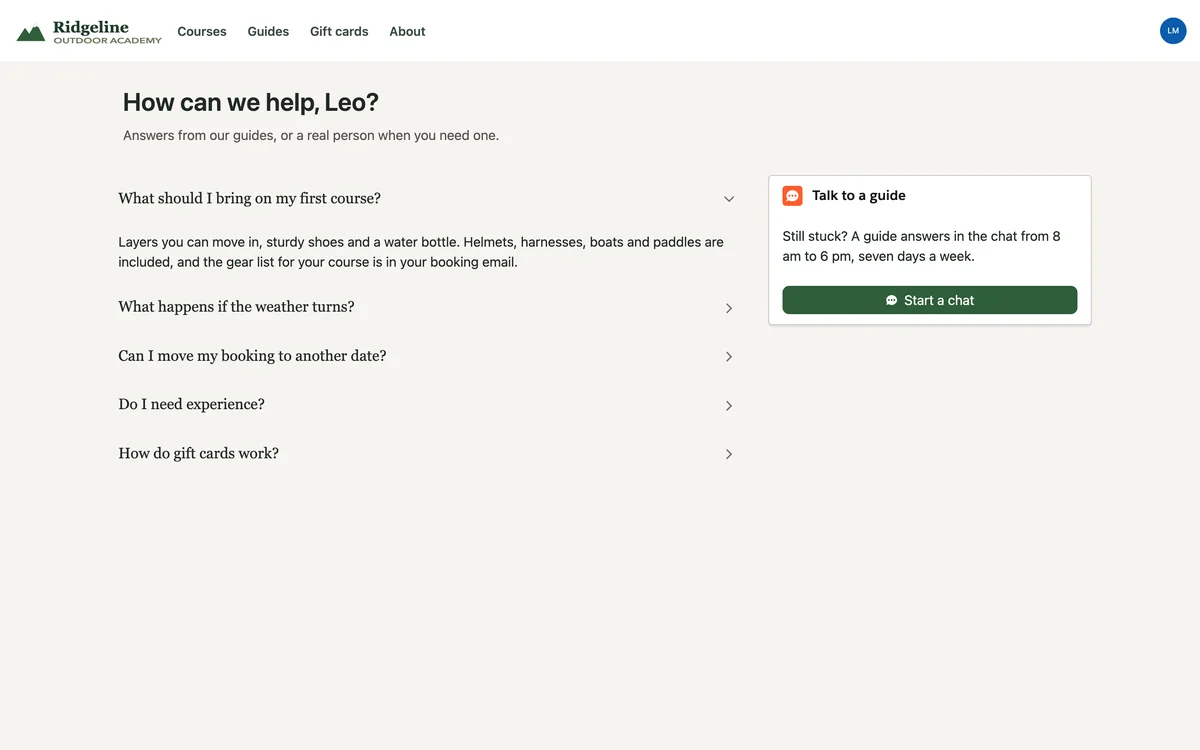
Ridgeline Outdoor Academy help center: an Avonni accordion of answers from the guides, the first one open, and a Talk to a guide card with a Start a chat button

Self-service center

Pair knowledge and guided Flows so people solve their own problems instead of opening a ticket.

Add a Chat to your portal →
Where to build it

Three packages, one portal

For portals
The portal surface

Experience Cloud Components

40+ components for the portal itself: navigation, cards, lists, banners, and data views your customers see.

Learn more →
Guided processes

Flow Screen Components

Drop guided Flows into the portal so people complete requests step by step instead of hunting for fields.

Learn more →
Internal side

Dynamic Components

Build the record pages and consoles your team uses to service everything the portal sends in.

Learn more →
Make it yours

A portal that looks like your brand

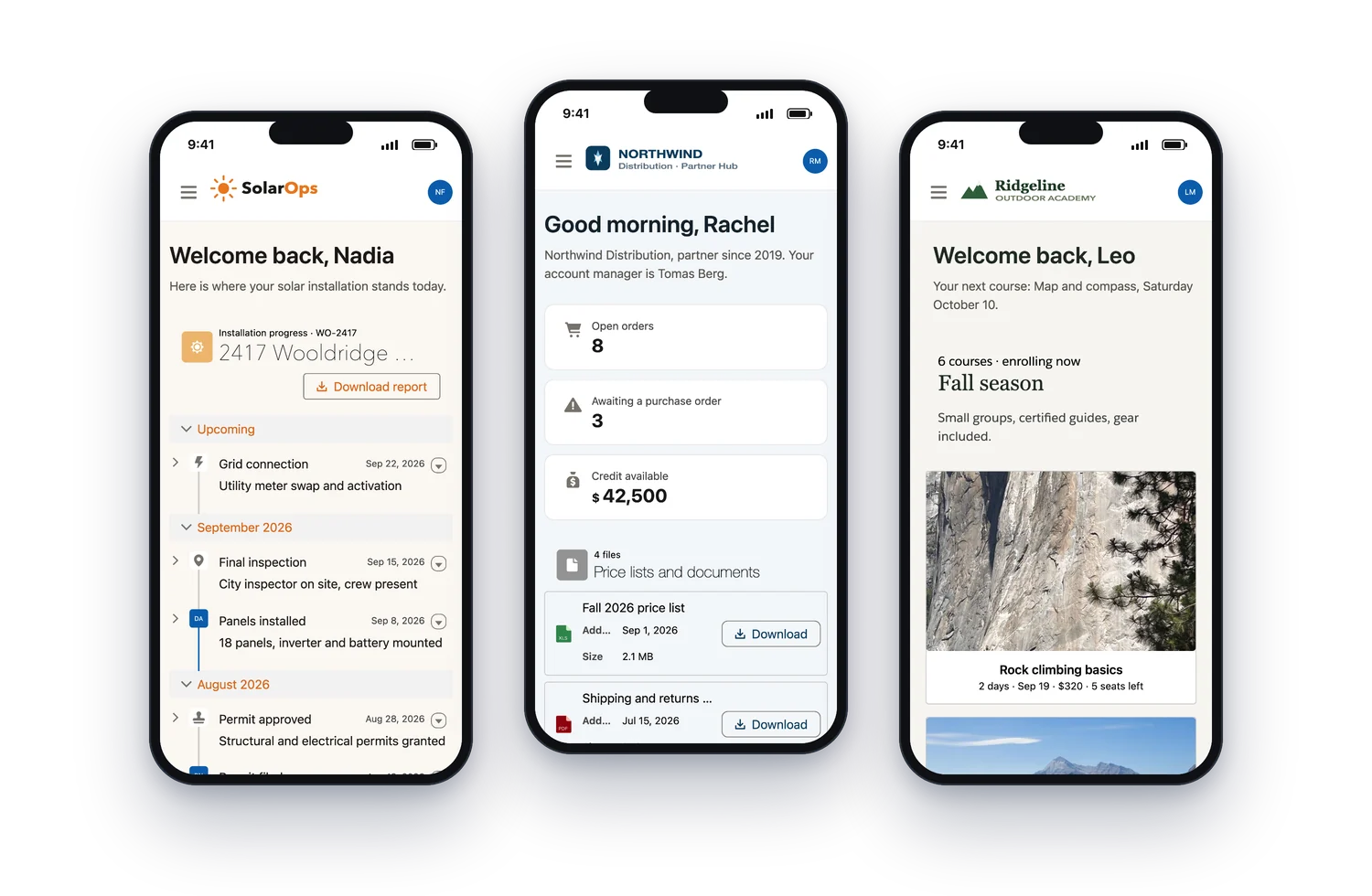
The three portals on a phone: SolarOps, Northwind Distribution and Ridgeline Outdoor Academy, each in its own brand, built with the same Avonni Experience Cloud components

Three live Experience Cloud sites, built with the same Avonni components, each in its own brand.

The headline feature

Match your brand, down to the details

Colors, fonts, spacing, and layout follow your brand instead of the default Experience Cloud template. Customers see your site, not Salesforce's.

Themed components

Style every component with the same tokens so the whole portal stays consistent.

Your content, your way

Arrange records, lists, and knowledge into pages that fit how your customers think.

Responsive by default

Portals work on phones and desktops without a second build.

Why it works

Built on the platform your data already lives on

No sync, no copy

The portal reads and writes your real Salesforce records. There is no second system to keep in step.

Security reviewed

Every component passed the AppExchange security review, so sharing rules and permissions still apply.

One team maintains it

Admins configure the portal with the same tools they use for the rest of the org. No separate stack.

The portal your customers use and the console your team works in are built from the same suite.

From a client-facing team
Avonni has enabled our team to build solutions we could not have delivered otherwise. It is a true gem.
Craig Ashton-Chalmers
Linklaters
FAQ

Questions about portals

How is licensing handled for Experience Sites?

Experience Sites are quoted separately. Portal and community licensing depends on your setup, so reach out and we will scope it with you.

Do the components work with external and customer users?

Yes. They run inside Experience Cloud and respect the sharing rules and permissions you already set for portal users.

Can the portal match our brand?

Colors, fonts, spacing, and layout follow your brand tokens, so the site reads as yours rather than a default template.

Is the data separate from our main org?

No. The portal reads and writes the same Salesforce records your internal team works on, with no sync or copy.

Do we need a developer to maintain it?

Admins configure and update the portal with clicks. A developer is optional, not a requirement.

Give customers a portal worth logging into

Start with the components, keep your data where it is, and ship a branded Experience Cloud site your customers will actually use.